
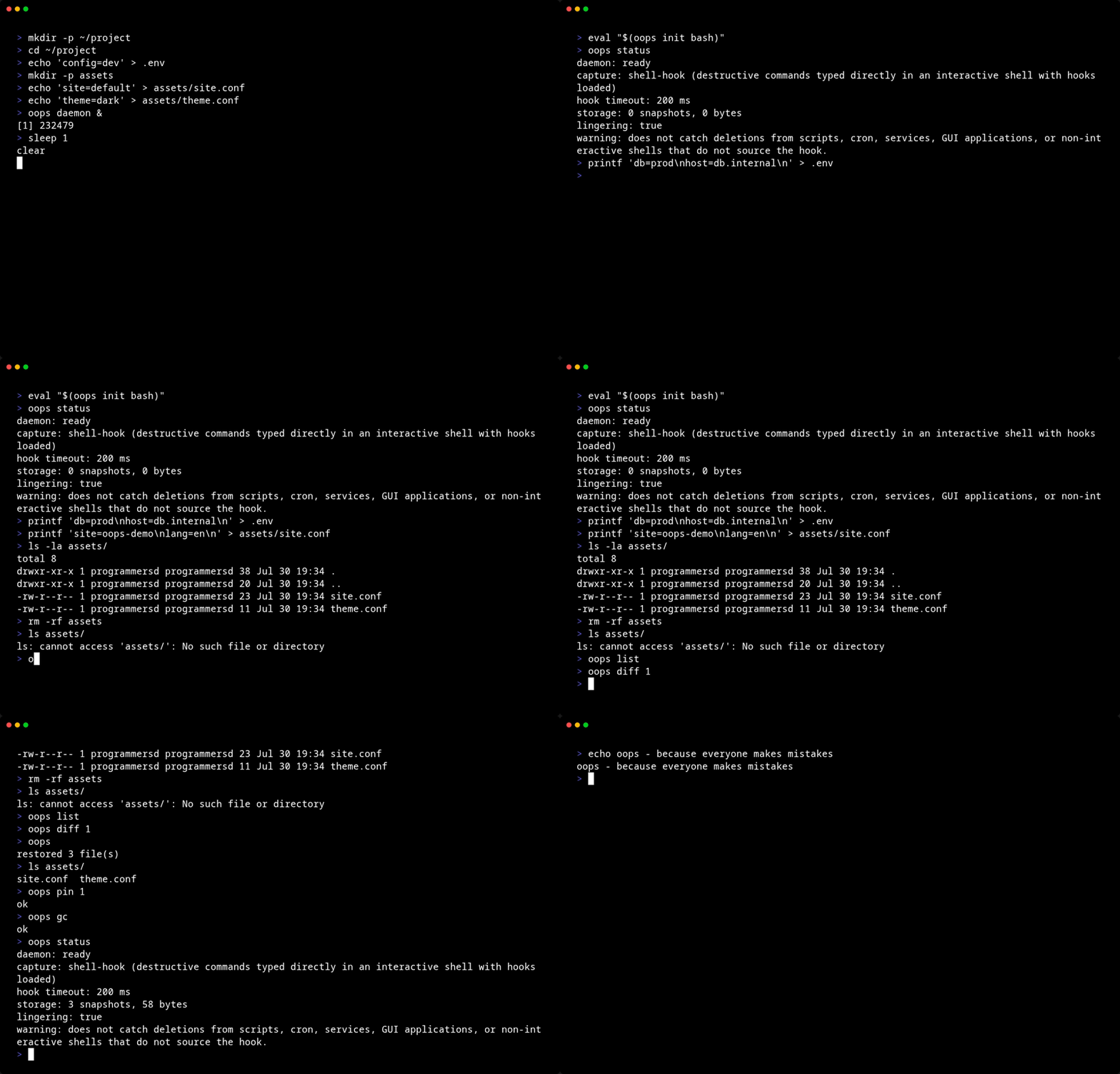


Before rm, mv, sed -i, >, git reset --hard, and friends run, their target files get snapshotted — so you can undo the damage.
oops→ undoes whatever you just broke.
cargo build --release
install -Dm755 target/release/oops ~/.local/bin/oops
install -Dm644 systemd/oopsd.service ~/.config/systemd/user/oopsd.service
systemctl --user daemon-reload
systemctl --user enable --now oopsd
loginctl enable-linger "$USER"
eval "$(oops init bash)" # or: zsh, fish| Command | Description |
|---|---|
oops |
Undo the most recent restorable snapshot |
oops undo [id] |
Undo a specific snapshot (default: newest) |
oops list |
Browse snapshot history (TUI, ↑↓/jk to navigate) |
oops diff <id> |
Show files captured in a snapshot (TUI) |
oops status |
Daemon status, storage usage, lingering state |
oops gc |
Trigger garbage collection |
oops pin <id> / oops unpin <id> |
Exempt / unexempt a snapshot from GC |
oops init <bash|zsh|fish> |
Print shell hook script |
oops daemon |
Run the background daemon (started via systemd) |
Commands that talk to the daemon exit with code 2 and print setup instructions if it's not running.
A preexec hook (bash DEBUG trap, zsh/fish preexec) intercepts every command before execution and sends it to the daemon over a Unix socket. The daemon classifies the command — if it's destructive, it snapshots every at-risk path before acknowledging the hook. Only then does the shell run the command.
Files are copied (reflink on Btrfs/ZFS, plain copy elsewhere) to ~/.local/share/oops/blobs/<id>/. Metadata lives in SQLite. mtime is recorded for conflict detection during restore.
oops undo replays the snapshot: directories first (with original permissions), then files from blobs. The latest snapshot restores unconditionally. Older snapshots check mtime to avoid clobbering independently modified files. .git/ is never touched.
| Variable | Default | Description |
|---|---|---|
OOPS_HOOK_TIMEOUT_MS |
200 |
Max ms to wait for daemon ack before running the command unprotected |
OOPS_ALLOW_PATHS |
$HOME |
Colon-separated additional directories to permit snapshotting |
Data lives in $XDG_DATA_HOME/oops (~/.local/share/oops). Retention is 48 hours or 2 GB, whichever hits first. Pinned snapshots are exempt.
Shell-hook capture cannot intercept destructive commands from cron, systemd services, GUI applications, scripts without the hook loaded, or non-interactive shells. fd redirects (1>&2, >&2) are correctly ignored; only truncating redirects (> file) trigger a snapshot. See oops status for the full degraded-warning message.
oops-core/— types, command classifier, redirect scanner, SQLite storage, IPC protocoloops/— single binary (CLI + daemon subcommand)oops-tui/— ratatui terminal UI forlistanddiffoops/shell-hooks/— bash, zsh, fish preexec hook scriptssystemd/— systemd user service unit
MIT


