







API Gateway self-hosted berbasis Node.js untuk otomatisasi cek transaksi dan cetak QRIS dinamis dari akun GoPay / GoFood Merchant kamu.
Note
💬 HUBUNGI OWNER & BERGABUNG CHANNEL:
- 👤 Developer / Owner: @ahmadzakiyo
- 📢 Channel Update & Project: @nuxysproject
Tip
📣 PENGUMUMAN & UPDATE TERBARU: Sistem Login OTP Terminal & Auto-Refresh Token
Gateway ini sekarang menggunakan sistem autentikasi OTP Terminal (node login.js). Kamu tidak perlu lagi copy-paste cookie browser atau memasukkan password. Cukup masukkan nomor HP GoBiz & kode OTP 1 kali saja — token akan tersimpan dan otomatis di-refresh oleh server di background setiap 6 jam tanpa perlu login ulang!
Caution
🚨 PERSYARATAN DEPLOYMENT (VPS / cPanel / Pterodactyl Panel)
Gateway ini dapat di-deploy di VPS, cPanel Hosting, maupun Pterodactyl Panel (Node.js Egg v18.x/v20.x) yang memiliki penyimpanan permanen 24/7.
DILARANG MENGGUNAKAN HOSTING SERVERLESS GRATISAN (seperti Render Free, Vercel, Netlify) karena container akan sleep dan menghapus file sesi (.GOPAY_SESI_JANGAN_DIHAPUS.json), yang mengakibatkan sesi hangus dan harus login OTP ulang.
Warning
- 🔐 Login OTP Terminal — Login resmi via SMS/WA (
node login.js) menggunakan nomor HP GoBiz. - 🔄 Auto-Refresh Token (Set-and-Forget) — Token diperbarui otomatis di background. Login cukup 1 kali saja.
- 🧾 QRIS Dinamis (EMVCo) — Generate QRIS nominal custom dari QRIS statis merchant secara lokal dengan parser EMVCo presisi tinggi (CRC16).
- 📱 Halaman Checkout QRIS Interaktif — UI web modern siap pakai dengan timer hitung mundur 5 menit, tombol cek manual anti-banned, & auto-polling opsional (8s).
- ✅ Cek Pembayaran Real-Time — Cocokkan nominal + waktu transaksi secara otomatis. Setiap payment memiliki
trx_idunik sehingga dua payment nominal sama tidak akan saling klaim (anti duplikat klaim per TRX-ID). - 📋 Riwayat Mutasi Transaksi — Ambil daftar mutasi QRIS/GoPay/Kartu dalam rentang waktu tertentu.
- 🌐 Dua Cara Request (GET & POST) — Bisa dipanggil via URL query di browser atau JSON body dari backend web store.
- 🔒 Proteksi API Key & Public QR API — Endpoint backend dilindungi
API_KEYrahasia, serta mendukung endpoint check status public aman untuk frontend UI. - 🐳 Docker, PM2 & Pterodactyl Ready — Siap di-deploy ke VPS Linux, cPanel, atau Pterodactyl Panel dalam hitungan menit.
- VPS / Dedicated Server dengan Linux (Ubuntu 20.04/22.04, Debian, AlmaLinux, dll) & Node.js ≥ 18.
- Akun GoBiz / GoFood Merchant aktif yang terdaftar dengan nomor HP.
- QRIS statis dari aplikasi GoBiz (untuk fitur generate QRIS dinamis).
git clone https://github.com/ahmadzakiyox/gopay-api-gateaway.git
cd gopay-api-gateaway
npm installSalin template .env.example ke .env:
cp .env.example .envIsi variabel di file .env:
PORT=3000
API_KEY=YOUR_API_KEY_HERE
QRIS_STATIC=YOUR_QRIS_STATIC_HERE
GOPAY_MERCHANT_ID=YOUR_MERCHANT_ID_HEREnode login.js- Masukkan nomor HP GoBiz (contoh:
085119772671). - Masukkan kode OTP (4 digit) yang dikirimkan via SMS/WA.
- Sesi login akan disimpan secara permanen di file
.GOPAY_SESI_JANGAN_DIHAPUS.json.
Untuk memastikan gateway berjalan 24/7 non-stop di VPS dan token auto-refresh bekerja dengan baik, ikuti langkah deploy di bawah ini:
Jalankan perintah ini di terminal VPS kamu (contoh untuk Ubuntu/Debian):
# Update package list & install Git
sudo apt update && sudo apt install -y git curl

# Install Node.js v20 LTS via NodeSource
curl -fsSL https://deb.nodesource.com/setup_20.x | sudo -E bash -
sudo apt install -y nodejs# Clone repository
git clone https://github.com/ahmadzakiyox/gopay-api-gateaway.git
cd gopay-api-gateaway
# Install dependencies
npm install
# Buat & sesuaikan .env
cp .env.example .env
nano .env # (isi API_KEY & QRIS_STATIC kamu)
# Jalankan login OTP (masukkan no HP & OTP)
node login.jsKamu bisa memilih salah satu dari 2 metode deploy production berikut:
PM2 adalah Process Manager untuk Node.js agar server otomatis hidup kembali jika terjadi crash atau VPS di-reboot.
-
Install PM2 secara global:
sudo npm install -g pm2
-
Jalankan gateway dengan PM2:
pm2 start server.js --name "gopay-gateway" -
Simpan agar otomatis jalan saat VPS di-reboot:
pm2 save
pm2 startup
(Jalankan perintah yang dimunculkan oleh
pm2 startupjika ada). -
Perintah Berguna PM2:
- Cek status server:
pm2 status - Cek log real-time:
pm2 logs gopay-gateway - Restart server:
pm2 restart gopay-gateway
- Cek status server:
Jika VPS kamu sudah terinstall Docker:
- Pastikan file
.envdan.GOPAY_SESI_JANGAN_DIHAPUS.jsonsudah ada. - Jalankan container di background:
docker compose up -d
- Cek status & log container:
docker compose logs -f
Jika kamu ingin mengakses gateway via domain HTTPS (misal https://gopay.domainkamu.com):
server {
    server_name gopay.domainkamu.com;

    location / {
        proxy_pass http://127.0.0.1:3000;
        proxy_set_header Host $host;
        proxy_set_header X-Real-IP $remote_addr;
        proxy_set_header X-Forwarded-For $proxy_add_x_forwarded_for;
        proxy_set_header X-Forwarded-Proto $scheme;
    }
}
Gunakan Certbot untuk SSL gratis:
sudo apt install -y certbot python3-certbot-nginx
sudo certbot --nginx -d gopay.domainkamu.comBagi kamu yang menggunakan cPanel Shared Hosting / Web Hosting (seperti Niagahoster, Hostinger cPanel, DomaiNesia, JagoanHosting, dll), ikuti panduan setup berikut:
Important
undici) di Node 20 akan menyebabkan error RangeError: WebAssembly.instantiate(): Out of memory akibat pembatasan Virtual Memory CloudLinux cPanel. Gunakan versi Node.js 18.x.
- Masuk ke cPanel -> File Manager.
- Buat folder baru (misal
gopay-gateway) atau upload seluruh source code ke folder yang diinginkan. - Pastikan file
.envsudah ada dan diisi (salin dari.env.example).⚠️ Perhatian Port: Jangan menyetelPORT=443atauPORT=80di.env. BiarkanPORT=3000atau hapus barisPORT. cPanel akan secara otomatis menangani SSL HTTPS domain kamu.
- Buka menu Setup Node.js App di cPanel.
- Klik Create Application.
- Isi konfigurasi sebagai berikut:
- Node.js version: Pilih
18.x(Wajib 18.x) - Application mode:
Production - Application root: Nama folder tempat upload (contoh:
gopay-gateway) - Application URL: Domain/subdomain kamu (contoh:
gopay.domainkamu.com) - Application startup file:
server.js(Wajib diubah dari default app.js)
- Node.js version: Pilih
- Klik Create di pojok kanan atas.
-
Masuk ke menu Terminal di cPanel (atau SSH ke cPanel).
-
Copy perintah pengaktifan virtualenv dari bagian atas halaman Setup Node.js App (contoh:
source /home/user/nodevenv/gopay-gateway/18/bin/activate && cd /home/user/gopay-gateway). -
Jalankan script otomatisasi
setup.sh:bash setup.sh
Script ini akan otomatis meng-install dependencies dan memandu login OTP GoPay (
node login.js). -
Kembali ke menu Setup Node.js App di cPanel, lalu klik tombol Restart.
-
Cek aplikasi di browser:
https://gopay.domainkamu.com/health.
Bagi kamu yang menggunakan Pterodactyl Panel (panel hosting yang umum digunakan untuk Discord bot / server Node.js), ikuti langkah-langkah berikut:
Important
💡 TIPS LOGIN OTP UNTUK PTERODACTYL:
Karena konsol web Pterodactyl terkadang kurang responsif untuk input interaktif terminal (node login.js), disarankan untuk melakukan login OTP 1x di PC lokal / VPS terlebih dahulu, kemudian mengunggah file .GOPAY_SESI_JANGAN_DIHAPUS.json yang dihasilkan ke File Manager Pterodactyl.
- Jalankan
npm installdannode login.jsdi komputer lokal atau VPS kamu. - Masukkan nomor HP GoBiz & kode OTP 4-digit.
- Setelah berhasil login, file
.GOPAY_SESI_JANGAN_DIHAPUS.jsonakan otomatis dibuat.
- Buka Pterodactyl Panel -> Pilih Server kamu -> Masuk ke File Manager.
- Upload seluruh file project (termasuk
server.js,sessionManager.js,package.json, dll). - Upload juga file
.GOPAY_SESI_JANGAN_DIHAPUS.jsonyang sudah dibuat pada Langkah 1. - Buat file
.envdi File Manager Pterodactyl:(Pterodactyl akan menyesuaikan port secara otomatis sesuai alokasi port server kamu).PORT=3000 API_KEY=API_KEY_RAHASIA_KAMU QRIS_STATIC=00020101021126... GOPAY_MERCHANT_ID=MERCHANT_ID_KAMU
- Masuk ke menu Startup di Pterodactyl Panel:
- Set Startup Command:
node server.jsataunpm start - Set JS File / Entry File:
server.js
- Set Startup Command:
- Masuk ke menu Console Pterodactyl.
- Jalankan
npm installjika package belum terinstall otomatis. - Klik Start / Restart server.
Lihat log pada Console. Jika berhasil, akan muncul:
[SERVER] Gateway running on port 3000
[GOPAY-SESSION] Verification successful. Merchant name: TOKO KAMU
Kamu bisa mengakses endpoint health melalui URL server Pterodactyl kamu (misal: http://IP_PANEL:PORT/health).
Semua endpoint memerlukan autentikasi. Bisa lewat Header atau Query Parameter:
Header   : X-Api-Key: <API_KEY>
Query    : ?api_key=<API_KEY>
Memverifikasi apakah token GoPay Merchant masih aktif dan valid.
GET http://vps-ip:3000/token-status?api_key=RAHASIARespon Sukses:
{
  "success": true,
  "data": {
    "token_status": "valid",
    "message": "Token dan Sesi GoPay Merchant Aktif"
  }
}Membuat QRIS nominal custom dari QRIS statis secara in-memory (lokal). QR aktif selama 5 menit.
GET http://vps-ip:3000/create-qris?amount=25000&api_key=RAHASIA| Parameter | Tipe | Keterangan |
|---|---|---|
amount |
number |
Nominal transaksi dalam Rupiah (wajib) |
api_key |
string |
API Key kamu |
Respon Sukses:
{
  "success": true,
  "data": {
    "qris_id": "abc123xyz",
    "trx_id": "TRX-A3F8K2M9",
    "qris_url": "http://vps-ip:3000/qr/abc123xyz",
    "qris_code": "00020101021126...",
    "amount": 25000,
    "expires_at": "2026-07-24T00:20:00.000Z",
    "expires_in": "5 menit"
  }
}
Tip
Simpan trx_id yang dikembalikan. Gunakan nilai ini sebagai parameter trx_id saat memanggil /check-payment agar dua payment dengan nominal sama tidak saling klaim transaksi satu sama lain.
Membuka halaman HTML pembayaran QRIS yang interaktif. Dilengkapi dengan:
- Tombol Cek Manual ("🔄 Cek Status Pembayaran") — (Paling Aman / Anti-Banned) Pengecekan 1x klik instan setelah pembeli transfer.
- Hitung Mundur Kedaluwarsa 5 Menit — Countdown visual batas waktu transaksi.
- Checkbox Toggle Auto-Polling (Opsional) — Off secara default untuk proteksi rate-limit. Jika dicentang pembeli, mengecek status setiap 8 detik di background.
- Format gambar mentah bisa diakses dengan query
?format=rawatau?raw=1.
Endpoint public yang digunakan oleh halaman HTML /qr/:id untuk memeriksa status pembayaran tanpa perlu mengekspos API_KEY di browser pembeli.
GET http://vps-ip:3000/api/qr-status/abc123xyzMencari transaksi yang cocok berdasarkan nominal dan timestamp. Setiap transaksi hanya bisa diklaim 1x per trx_id (anti klaim ganda, termasuk untuk dua payment dengan nominal sama).
GET http://vps-ip:3000/check-payment?amount=25000&trx_id=TRX-A3F8K2M9&api_key=RAHASIA| Parameter | Tipe | Default | Keterangan |
|---|---|---|---|
amount |
number |
— | Nominal transaksi yang dicari (wajib) |
trx_id |
string |
— | TRX-ID dari /create-qris — scope klaim agar tidak tabrakan dengan payment nominal sama (sangat direkomendasikan) |
startTime |
string |
24 jam lalu | Timestamp ISO awal pencarian |
api_key |
string |
— | API Key kamu |
Respon Sukses (Lunas):
{
  "success": true,
  "paid": true,
  "transaction": {
    "transaction_id": "gopay-internal-tx-id",
    "order_id": "GOPAY-1234567890",
    "amount": 25000,
    "payer_issuer": "GoPay / BCA",
    "payment_type": "QRIS",
    "transaction_time": "2026-07-24T00:15:12.000Z"
  }
}
GET http://vps-ip:3000/transactions?api_key=RAHASIA| Parameter | Tipe | Default | Keterangan |
|---|---|---|---|
startTime |
unix timestamp |
3 hari lalu | Waktu awal (dalam detik) |
endTime |
unix timestamp |
Sekarang | Waktu akhir (dalam detik) |
pageSize |
number |
20 |
Jumlah transaksi yang diambil |
GET http://vps-ip:3000/api/logs?api_key=RAHASIAGateway ini sangat fleksibel untuk diintegrasikan ke sistem toko online (PHP, Laravel, Node.js, Python, WordPress, dll):
| Metode | Contoh Pemanggilan |
|---|---|
| GET (URL Query) | http://vps-ip:3000/create-qris?amount=25000&api_key=RAHASIA |
| POST (JSON Body) | POST /create-qris dengan Body: {"amount": 25000} & Header X-Api-Key |
gopay-gateway/
├── server.js                         # Express API Server & Logika Gateway
├── login.js                          # CLI Login OTP Interaktif Terminal (Encrypted)
├── sessionManager.js                 # Auto-Refresh Sesi & Token Manager (Encrypted)
├── setup.sh                          # Script Omatisasi Install & Setup (Linux/cPanel)
├── .env                              # File Konfigurasi Rahasia (Local)
├── .env.example                      # Template Konfigurasi
├── .GOPAY_SESI_JANGAN_DIHAPUS.json   # File Sesi Aktif (Wajib Ada di VPS/cPanel)
├── Dockerfile                        # Konfigurasi Docker
└── docker-compose.yml                # Konfigurasi Docker Compose
Ada pertanyaan, error, atau mau diskusi? Hubungi langsung:
- 👤 Owner / Developer: @ahmadzakiyo
- 📢 Channel (Update & Project): @nuxysproject
Kalau project ini bermanfaat buat kamu, traktir saya kopi ya! ☕
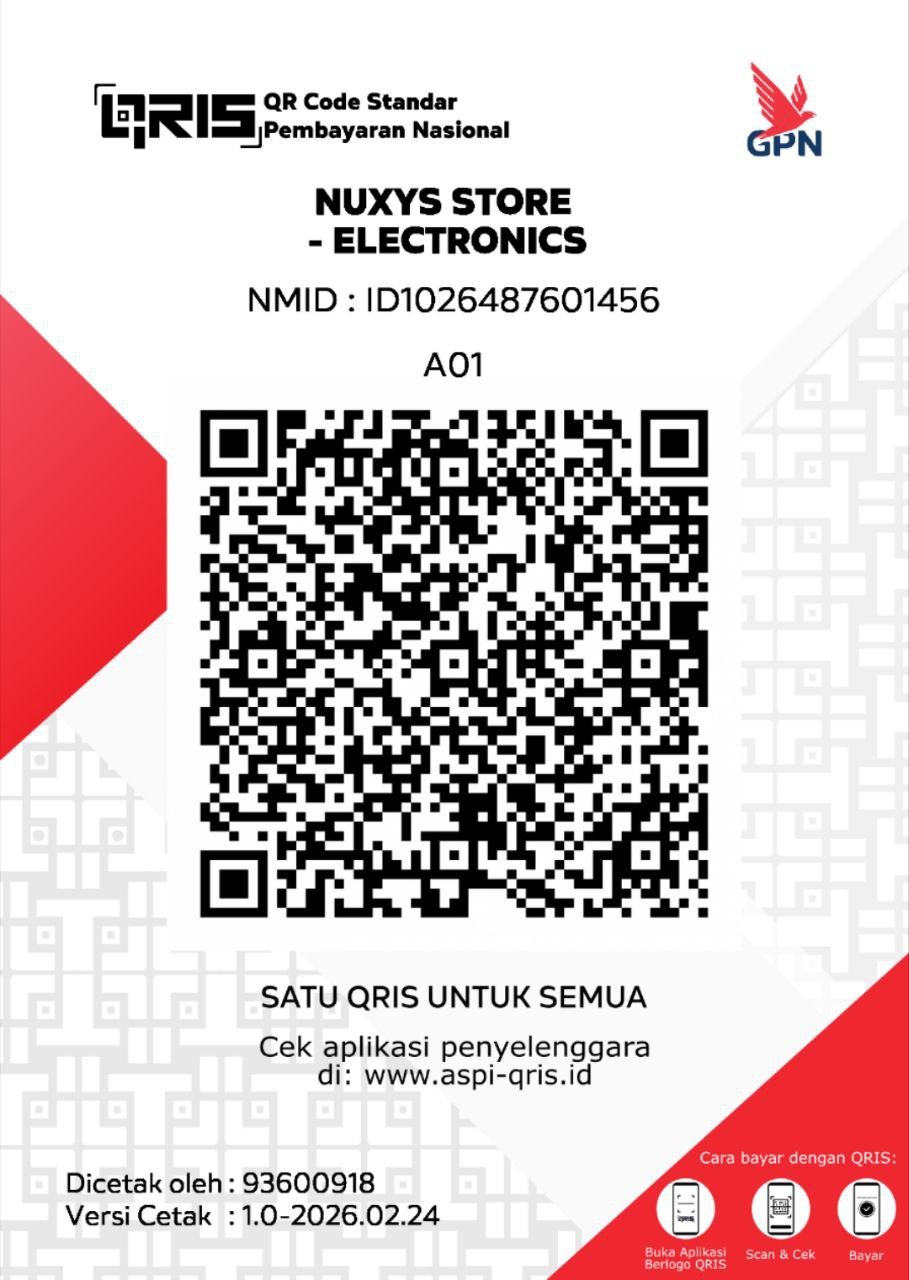
Nominal bebas — terima kasih banyak! 🙏


